

You’ve embarked on your online journey, and like many, you likely started with shared hosting. It’s a fantastic entry point, offering an affordable and accessible way to establish your digital presence. However, as your website grows and your needs evolve, you might start to notice the limitations of a shared environment. This article will guide you through the critical indicators that suggest it’s time to upgrade from shared hosting to managed hosting, ensuring your website continues to thrive and your business experiences seamless growth.
Before diving into the “when,” let’s briefly revisit the fundamental differences between shared and managed hosting, so you can fully appreciate the advantages you’ll gain with an upgrade.
Shared Hosting: Your Starting Block
When you opt for shared hosting, you’re essentially renting a small apartment in a large building. You share resources like CPU, RAM, and disk space with numerous other tenants on the same server. This model is incredibly cost-effective because the server’s maintenance and infrastructure costs are distributed among many users.
- Pros of Shared Hosting:
- Low Cost: The most significant advantage is its affordability, making it ideal for new websites, blogs, and small businesses with limited budgets.
- Ease of Use: Most shared hosting plans come with user-friendly control panels like cPanel, simplifying website management without requiring advanced technical skills.
- Basic Support: You typically receive fundamental technical support for server-related issues.
- Cons of Shared Hosting:
- Resource Limitations: You’re subject to the resources available on the shared server, which can lead to performance issues during traffic spikes or if neighboring sites consume excessive resources.
- Security Vulnerabilities: While hosts implement security measures, a vulnerability on one website on the shared server could potentially impact others.
- Limited Customization: You have less control over server configurations and software installations.
- Scalability Concerns: Scaling your website as it grows can be challenging and often requires a migration to a more robust solution.
Managed Hosting: Your Dedicated Support Team
Managed hosting is akin to having a dedicated technical team for your website. While you might still share a server in some configurations (like managed VPS), the key differentiator is the proactive management of server infrastructure, security, and performance by your hosting provider. This allows you to focus on your content and business, not server administration.
- Pros of Managed Hosting:
- Optimized Performance: Servers are expertly configured and monitored for optimal speed and uptime, often with caching mechanisms and content delivery networks (CDNs) built-in.
- Enhanced Security: Providers implement advanced security measures, including firewalls, malware scanning, intrusion detection, and proactive patching.
- Proactive Maintenance: Your hosting provider handles all server updates, patches, backups, and monitoring.
- Scalability: Managed hosting solutions are designed to scale with your website’s growth, allowing you to easily upgrade resources as needed.
- Expert Support: You gain access to specialized support teams with deep knowledge of the managed platform and common website applications.
- Focus on Your Business: You’re freed from the burden of server management, allowing you to dedicate more time to your core business activities.
- Cons of Managed Hosting:
- Higher Cost: The increased level of service and dedicated resources naturally come at a higher price point than shared hosting.
- Less Control: While you have more control than with shared hosting, the provider manages the core server, which means less direct SSH access or root privileges in some cases.
Sign #1: Your Website’s Performance is Lagging
This is often the most noticeable and frustrating indicator that your shared hosting is no longer sufficient. When your website consistently loads slowly, it’s not just an inconvenience; it’s a direct threat to your traffic, conversions, and search engine rankings.
Slow Page Loading Speeds
Are your pages taking several seconds to load? Have you noticed an increasing trend in load times, particularly during peak hours?
- Impact on User Experience: Studies consistently show that users expect websites to load quickly. A slow loading site leads to higher bounce rates, as visitors get impatient and leave.
- SEO Implications: Search engines like Google prioritize fast-loading websites in their rankings. A slow site can negatively impact your visibility in search results, reducing organic traffic.
- Conversion Rate Drops: For e-commerce sites, slow loading times translate directly into lost sales. Customers are less likely to complete a purchase if the checkout process is sluggish.
Frequent Downtime and Error Messages
Is your website periodically unavailable, displaying “server error” messages, or “database connection failed” errors?
- Reputation Damage: Consistent downtime erodes trust with your audience and can severely damage your brand’s reputation.
- Lost Revenue: For businesses, every minute of downtime can mean lost sales, missed leads, and reduced productivity.
- Impact on SEO: Search engines interpret frequent downtime as a sign of an unreliable website, which can lead to a drop in your rankings.
Resource Exhaustion Warnings
Have you received emails from your hosting provider warning you about excessive resource usage (CPU, RAM)?
- “Noisy Neighbor” Effect: On shared hosting, a sudden traffic surge or poorly optimized script on a neighboring website can consume a disproportionate share of server resources, impacting your site’s performance.
- Throttling: To prevent one user from monopolizing resources, shared hosting providers often implement throttling, which limits your website’s ability to utilize available server power, leading to slow performance.
Sign #2: Your Organic Traffic and User Engagement are Growing

Congratulations! Your marketing efforts are paying off, and more people are discovering your website. While this is a positive development, it’s also a clear signal that your hosting infrastructure needs to keep pace.
Spikes in Website Traffic
Are you experiencing regular and significant increases in visitors, perhaps due to successful content marketing, an advertising campaign, or seasonal demand?
- Overloading the Shared Server: A sudden surge in traffic can overwhelm the limited resources available on a shared server, leading to slowdowns or even crashes.
- Missed Opportunities: If your site goes down during a traffic spike, you’re missing out on potential customers, leads, and brand exposure.
Increasing Number of Concurrent Users
Are more users actively browsing your site or using interactive features simultaneously?
- Database Strain: Each concurrent user places demands on your website’s database, especially for dynamic content. Shared hosting databases can buckle under this pressure.
- PHP Process Limitations: Shared hosting environments often limit the number of active PHP processes, which can bottleneck performance when multiple users are requesting dynamic pages.
Expanding Website Functionality (e.g., E-commerce, Memberships)
Are you adding new features that require more processing power or database interactions, such as:
- E-commerce Stores: Online shops involve complex operations like product searches, shopping cart management, payment processing, and inventory updates, all of which are resource-intensive.
- User Accounts/Memberships: Websites with user logins, custom profiles, or exclusive content sections put a greater strain on the database and server.
- Learning Management Systems (LMS): Online courses with video content, quizzes, and progress tracking require robust server capabilities.
- Forums and Communities: These platforms generate a high volume of database queries and dynamic content, which can tax a shared environment.
Sign #3: You Require Enhanced Security and Reliability
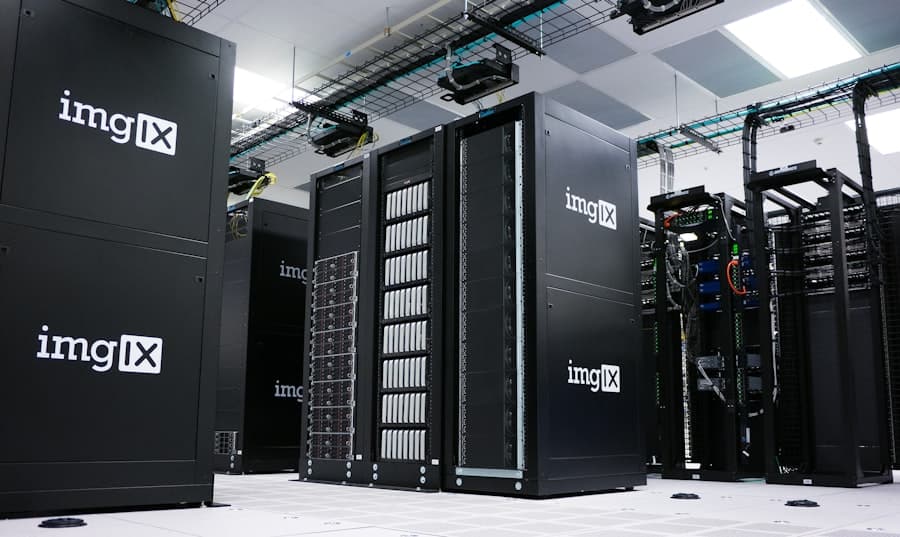
As your website matures and potentially handles sensitive data, the generic security offered by shared hosting might no longer be sufficient. Reliability also becomes paramount as your online presence grows in importance.
Handling Sensitive User Data (e.g., Personal Information, Payment Details)
If your website collects any personally identifiable information (PII) or processes financial transactions, you have a greater responsibility to protect that data.
- Compliance Requirements: Industries like healthcare (HIPAA), finance (PCI DSS), and general data protection (GDPR, CCPA) have strict compliance requirements regarding data security. Shared hosting environments may not offer the granular control or dedicated security features needed to meet these standards.
- Reputational Risk: A data breach can be devastating for your brand, leading to loss of trust, legal liabilities, and financial penalties.
Increased Susceptibility to Malware and Attacks
Have you noticed an increase in spam, suspicious login attempts, or even outright hacks?
- Shared Vulnerabilities: While reputable shared hosts implement security, the “noisy neighbor” effect can mean a compromised site on the same server could provide an entry point for attackers looking to exploit other websites.
- Limited Control over Security Stack: On shared hosting, you have less control over firewalls, intrusion detection systems, and server-side security configurations.
The Need for Consistent Backups and Disaster Recovery
While most shared hosts offer some form of backup, your control over frequency, retention, and restoration options may be limited.
- Granular Backup Control: With managed hosting, you often get more frequent backups (hourly or daily), longer retention periods, and the ability to easily restore specific files or databases.
- Disaster Recovery Planning: Managed solutions often include more robust disaster recovery plans, ensuring minimal downtime in the event of a catastrophic server failure.
Sign #4: You Need More Control and Customization
| Factors | Shared Hosting | Managed Hosting |
|---|---|---|
| Website Traffic | Low to Moderate | Moderate to High |
| Performance | Basic | Optimized |
| Security | Basic | Advanced |
| Technical Expertise | Not Required | Not Required |
| Scalability | Limited | High |
Shared hosting provides a convenient, “plug-and-play” experience, but it also means sacrificing a degree of control over your server environment. As your website evolves, you might find yourself needing more flexibility.
Specific Software or Server Module Requirements
Are you trying to install specialized software or specific server modules that are not available or allowed on your shared hosting plan?
- Example Software: This could include specific database systems (e.g., PostgreSQL instead of MySQL), specialized caching mechanisms (e.g., Redis), unique programming language versions, or advanced analytics tools.
- Server Configuration: You might need to adjust PHP settings beyond what’s offered in cPanel, or customize Apache/Nginx configurations for specific performance optimizations.
Advanced Development or Staging Environments
Are you a developer or do you have a development team that needs dedicated staging environments for testing new features or code changes before deploying them to your live site?
- Isolated Environments: Managed hosting often provides easy creation of staging sites that are exact replicas of your live site, allowing for safe testing without affecting your production environment.
- Version Control Integration: Seamless integration with version control systems (like Git) makes development workflows more efficient.
Compliance with Specific Regulatory or Technical Standards
Does your business operate in an industry with stringent regulatory requirements that dictate specific server configurations, data handling, or security protocols?
- PCI DSS for E-commerce: If you directly process credit card information, meeting PCI DSS compliance often requires a dedicated or managed environment with specific security controls.
- HIPAA for Healthcare: Handling patient health information (PHI) under HIPAA demands robust security, access controls, and auditing capabilities beyond what shared hosting can provide.
Sign #5: You Value Expert Support and Time Savings
Ultimately, your time is a valuable resource. If you find yourself spending too much time troubleshooting hosting issues, or if you wish you had access to more specialized help, it’s a strong indicator for an upgrade.
Spending Too Much Time on Server Administration and Troubleshooting
Are you constantly battling with server-related problems, trying to understand error logs, or debugging performance issues that seem beyond your control?
- Core Business Focus: Every hour you spend on server maintenance is an hour you’re not dedicating to growing your business, creating content, or engaging with your customers.
- Lack of Expertise: Unless you’re a server administrator, troubleshooting complex hosting issues can be a time-consuming and frustrating endeavor.
Needing Specialized Technical Support
Do your questions go beyond basic “how-to” advice and require in-depth knowledge of server architecture, specific applications (like WordPress optimization), or advanced security?
- Application-Specific Support: Managed hosting providers often specialize in particular platforms (e.g., managed WordPress hosting), offering expert support for common issues, plugin conflicts, and performance tuning.
- Proactive Assistance: Managed support teams often anticipate and resolve issues before they impact your website, thanks to continuous monitoring.
The Desire for Peace of Mind
Do you worry about your website’s uptime, security, or the consequences of a major traffic surge?
- Offloading Responsibility: With managed hosting, you transfer the burden of server management, security, and performance optimization to a team of experts.
- Reduced Stress: Knowing that your website is in capable hands allows you to focus on your business goals without the constant underlying anxiety about your hosting infrastructure.
Making the Transition: What to Consider Next
Once you’ve identified that it’s time to move on from shared hosting, the next step is to choose the right managed hosting solution. This can involve anything from a managed VPS (Virtual Private Server) to managed dedicated servers, or specialized managed platforms for specific applications like WordPress.
- Assess Your Specific Needs: Clearly define your budget, traffic volume, required resources, security concerns, and desired level of technical support.
- Research Hosting Providers: Look for providers with a strong reputation, excellent customer reviews, and transparent pricing.
- Understand Pricing Models: Managed hosting can be significantly more expensive than shared, so ensure you understand what’s included in the price (e.g., CDN, backups, staging environments).
- Migration Support: Inquire about their migration process. Some providers offer free or assisted migrations, which can save you a lot of time and effort.
- Scalability Options: Ensure the managed host offers clear paths for scaling your resources as your website continues to grow.
Upgrading to managed hosting represents a significant investment in your website’s future. By recognizing these key indicators, you’re not just upgrading your server; you’re investing in performance, security, reliability, and ultimately, the success of your online endeavors. It’s a strategic decision that allows you to reclaim your time, reduce stress, and empower your website to reach its full potential.